Calculators when you need answers. Workflows when you need output.

Understand numbers, finish files, and move work forward on one platform.

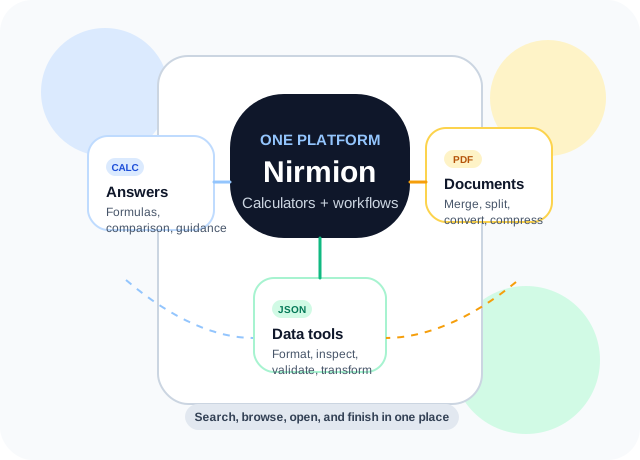
Nirmion combines calculator-style explanation with workflow-style execution. Use it for finance, math, health, conversions, PDFs, images, JSON, and practical everyday tasks without hopping between separate sites that each solve only one part of the job.

1495+tools across the platform16top-level tool areas4ways to browse1400+public pages

What we do

Bring answer-first calculators and task-first workflow tools together.

Some visitors come to understand a calculation. Others come to merge a PDF, format JSON, resize an image, or clean up a file. Nirmion is designed to support both paths clearly.

Decision tools

Use calculator-style pages when the answer needs explanation, not just output

Nirmion groups finance, math, health, date, and conversion calculators into guided pages so people can understand the problem before pressing calculate.

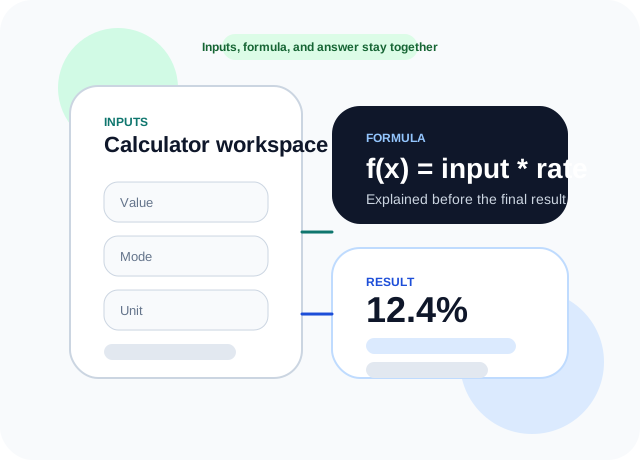
  • Calculator pages keep formulas, field hints, and related tools close to the result.
  • Category hubs help people compare similar calculators without hunting for exact names.
  • Short public routes make calculator pages easier to save, share, and revisit.
Browse calculator categories
Illustration showing calculator inputs, a formula panel, and a result card

Workflow tools

Use workflow-style pages when you need to finish a document, file, or data task quickly

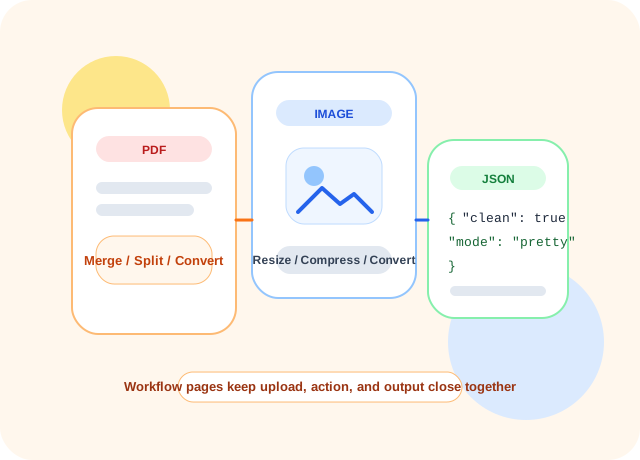
The same platform also covers PDF, image, JSON, SEO, creator, and business flows so visitors can merge, convert, format, or clean something without opening five separate sites.

  • Document and file pages are designed for quick completion with fewer distractions.
  • Workspaces keep related actions together, which makes repeat tasks faster.
  • People can move from a finished file step into the next utility without losing context.
Explore workspaces
Illustration showing PDF, image, and JSON workflow cards moving through a task pipeline

Visual guide

The platform is built to help people move from question to finished result

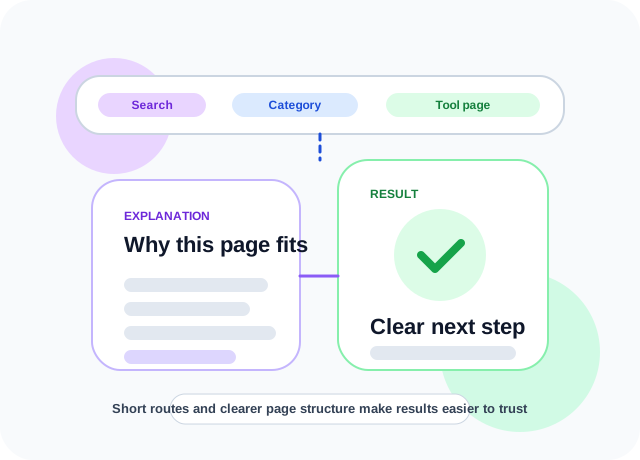
Whether someone starts from search, a calculator category, or a tool workspace, the goal is the same: make the next step obvious and reduce wasted clicks.

1

Start from a keyword or category

People can search directly or choose a category if they want a more guided route.

2

See grouped options quickly

Workspaces, categories, and collections keep related pages together so the next choice feels obvious.

3

Land on the tool that fits

The final page is shaped around one task so people can start right away without extra reading.

Why choose Nirmion

Built to feel more helpful than a plain directory and more connected than a single-purpose tool site.

The strongest experience combines explanation, short routes, repeatable workflows, and clearer category structure.

Calculator pages explain the answer

The strongest calculator pages do more than show a number. They explain what the fields mean, how the output is reached, and where to go next.

Formula sections, field guidance, examples, and related tools stay near the workspace.

Workflow tools stay fast and practical

PDF, image, JSON, and file tasks are shaped around quick completion so the page feels closer to a workflow assistant than a long article.

Merge, split, compress, convert, format, and cleanup flows stay short and repeatable.

Search and browse both feel natural

Some visitors know the exact tool name. Others only know the problem they are trying to solve. The homepage should support both mindsets.

Short routes, clear categories, and workspace hubs reduce dead ends.

One platform for answer-first and output-first work

Nirmion now sits between educational calculator hubs and task-focused file tools instead of forcing people to switch sites every few minutes.

Calculators, PDFs, JSON, images, SEO, creator, and business tools all live under one roof.

Illustration showing route clarity, explanation cards, and result trust

Featured workspaces

Open a workspace when you want multiple related tools in one area.

This is the workflow side of Nirmion: dedicated areas for PDFs, JSON, images, SEO, creator tasks, and more.

Domain utilities320 tools

API Tools

Live utility tools organized by domain categories with direct route access.

Currency ConverterUnit ConvertersQuick APIs
Open API Tools
Formula workflows212 tools

Calculators

Formula, finance, health, math, and conversion calculators in category clusters.

Fraction CalculatorBMI CalculatorIndia Income Tax
Open Calculators
Structured data35 tools

JSON Tools

Formatting, query, schema, conversion, and code-generation workflows for structured data.

JSON FormatterJSON DiffJSON to TypeScript
Open JSON Tools
Document workflows79 tools

PDF Tools

Merge, split, watermark, secure, convert, and extract PDF content without leaving the browser.

Merge PDFPDF to TextProtect PDF
Open PDF Tools
Visual editing175 tools

Image Tools

Convert, resize, crop, compress, stylize, and inspect image files with dedicated processors.

JPG to PNGRemove BackgroundUpscale Image
Open Image Tools
Media workflows51 tools

Video & Audio

Audio editing, utility analysis, and media conversion workflows in one focused workspace.

Trim AudioMP3 to WAVWaveform Viewer
Open Video & Audio
Office productivity78 tools

Document & Office

CSV, DOCX, Markdown, XML, JSON, YAML, and office conversion or utility tools.

CSV to JSONMarkdown to HTMLDocument Validators
Open Document & Office
File operations31 tools

Archive & File

Checksums, archive extraction, file joining, splitting, validation, and file maintenance workflows.

Create ZIPFile ChecksumDuplicate Finder
Open Archive & File
Developer helpers17 tools

Dev & Data

Developer-facing helpers for encoded data, formatting, lightweight transforms, and utility outputs.

Base64 DecodeJWT DecoderFormat Helpers
Open Dev & Data
Engineering workflow60 tools

Technical Tools

Workflow generators for GraphQL, OpenAPI, DevOps, QA, incidents, and product requirements.

Regex TesterDockerfile GeneratorBug Report Builder
Open Technical Tools

Featured tools

Jump directly into a tool if you already know the task.

See all tools

Need a guided start?

Begin with a category, then narrow into the exact calculator or workflow.

That route works especially well when visitors know the problem space, like currency, time, PDFs, or JSON, but have not chosen the exact page yet.

Start with a category